Create your first piece of work
A work item is the thing everything else attaches to. Make one for something you are genuinely doing, not a test item, because the value is in what accumulates against it.
5 min read · article 2 of 10
Create it
There are two ways, and they differ in one useful way.
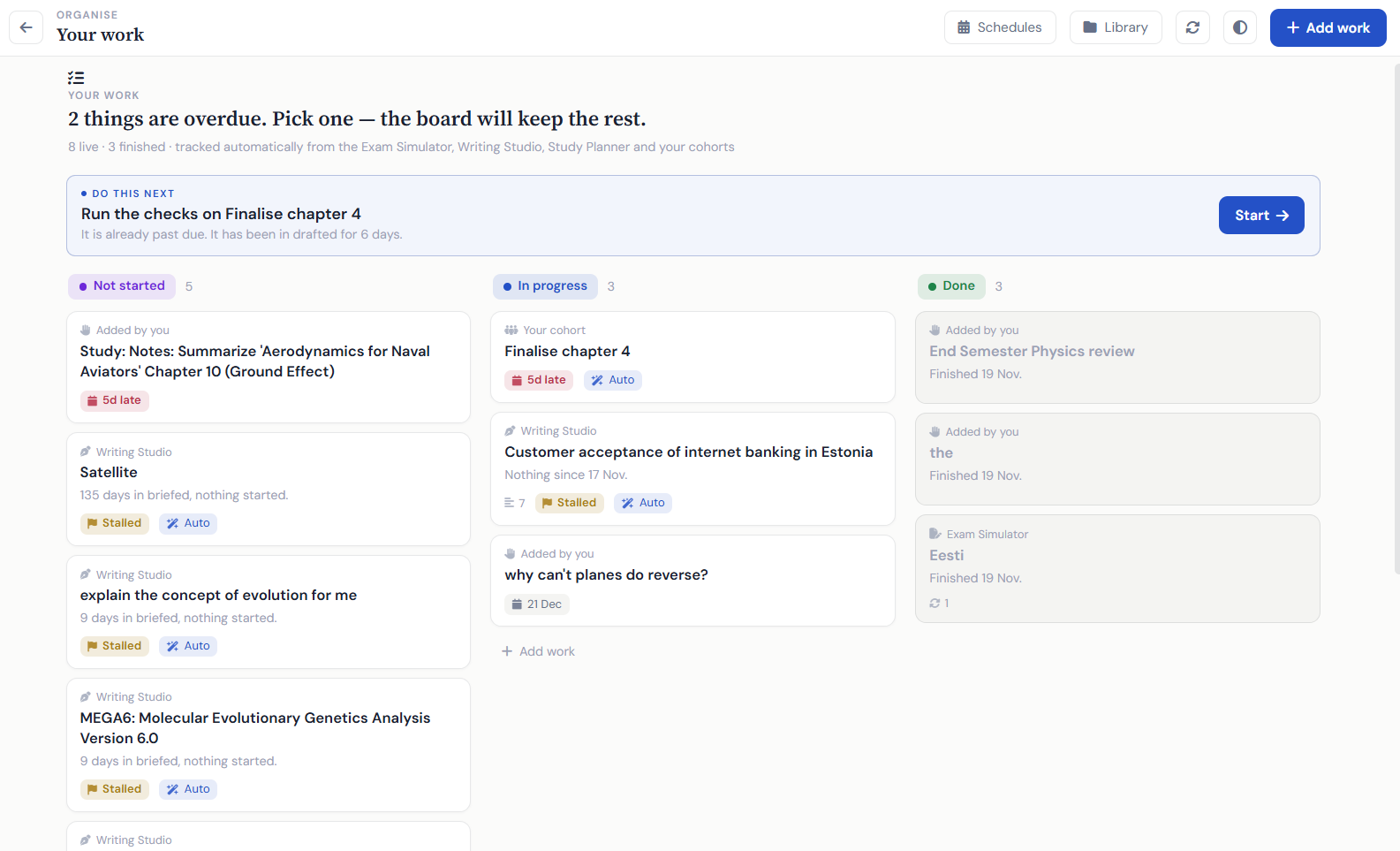
- From the boardOpen
Your workand choose Add work. You give it a title, a type, a subject and a deadline if it has one.The direct route, and the one to use first. - From a toolEvery tool carries a bar at the top naming the deliverable you are working on. If there is none set, that bar offers to make one.Useful once you are already mid-task.
Choose the type carefully
The type decides which stages you see, because the stages of writing a chapter and the stages of preparing for an exam are not the same thing. Underneath they are the same six states; the vocabulary matches the work.
| Type | Stages you see |
|---|---|
| Writing, assignment | Briefed, Drafting, Checking, Handed in |
| Exam | Scheduled, Revising, Practised, Sat |
| Revision | Scoped, Revising, Practising |
| Reading | Briefed, Reading, Done |
You can change the type later. Nothing attached is lost when you do.
Give it a subject
Subjects are normalised per person, so Organic Chemistry, organic chemistry and Organic Chemistry are one subject with one history, rather than three with a third each. Your library groups by the subject of the work a file is attached to, so this is worth getting right once.
A deadline, if it has one
Not everything does. An item with a deadline shows time remaining and can be flagged as at risk; an item without one is simply never urgent, which for a long reading task is the correct answer.
One item per deliverable, not one per project. A chapter is an item. A whole thesis is not: thirty readings attached to one item is a pile again, which is what this is meant to replace.
Was this article useful?
Thank you. That is recorded.
Previous: What Myfolder Space is